Notification
The Portal notification system keeps you informed about important events and updates. Notifications are delivered through various channels based on your notification settings and can be accessed through the bell icon in the Portal header.
Accessing Notifications
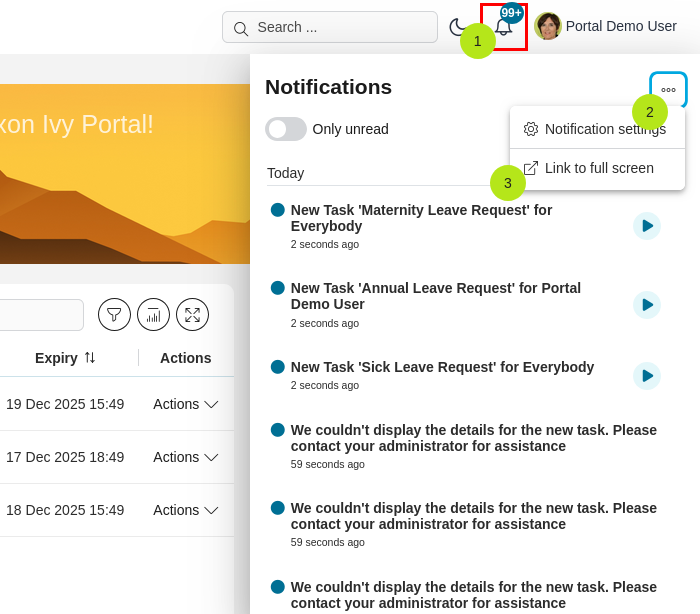
The notification panel provides quick access to your recent notifications:
Click the bell icon in the top right corner to open the notification panel
View all your notifications in a convenient dropdown panel
Access notification settings directly from the panel
Navigate to the full notification page using the More actions icon
Click the
 icon to view all notifications
Note
The bell icon is automatically hidden if the web notification channel is disabled by either the administrator or the user.
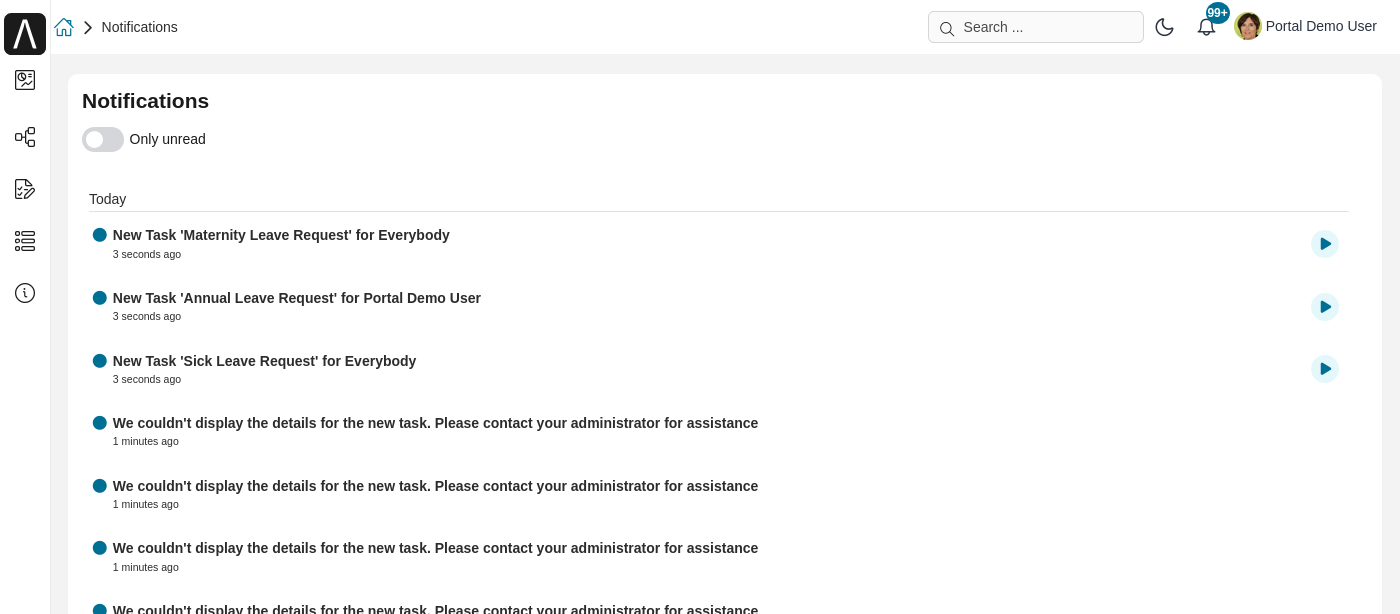
Full Notification Page
For a comprehensive view of all your notifications, navigate to the full notification page by clicking the icon in the notification panel.