プロセスビューアー
概要
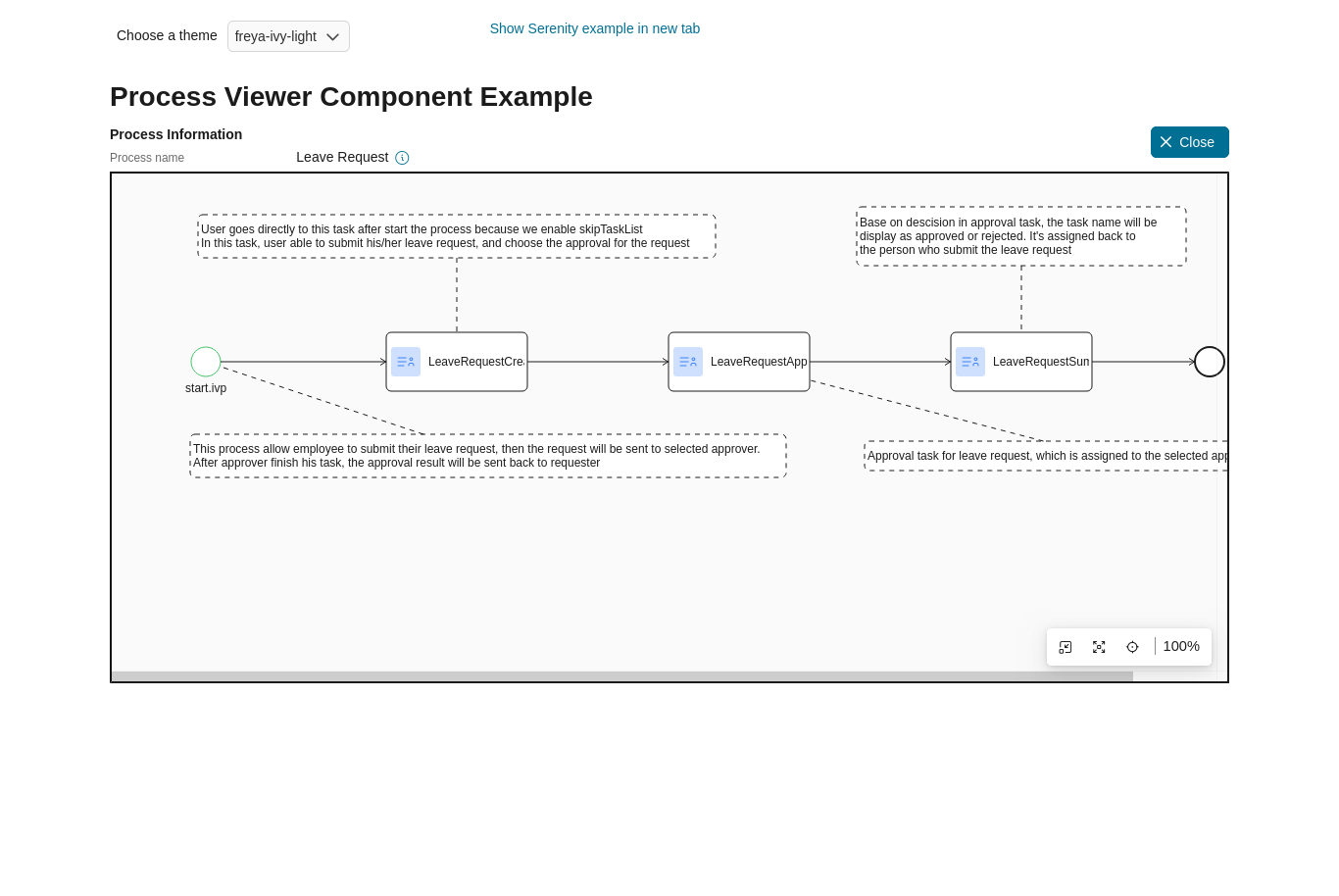
プロセスビューアーコンポーネントは、指定されたタスク ID、ケース ID、プロセスの相対リンクからのプロセスフローを視覚的に表現します。
Warning
プロセスのユーザーへの表示が許可されていない場合は、プロセスの代わりにエラーメッセージが表示されます。
このコンポーネントの属性:
Name |
Default |
Type |
Description |
|---|---|---|---|
taskId |
Long |
Task ID. |
|
caseId |
Long |
Case ID. |
|
processLink |
String |
Process or Case Map relative link. |
|
containerStyleClass |
String |
Component container style class. |
使用方法
以下のコードを含めることにより、任意のページにプロセスビューアーコンポーネントを統合できます。
以下のいずれかのパラメーターを設定する必要があります。
taskId:taskIdに等しい ID を持つタスクのプロセスまたはケースマップを表示します。
<ic:com.axonivy.portal.components.ProcessViewer taskId="000001" containerStyleClass="process-viewer-container" />
caseId:caseIdに等しい ID を持つケースのプロセスまたはケースマップを表示します。
<ic:com.axonivy.portal.components.ProcessViewer caseId="000001" containerStyleClass="process-viewer-container" />
processLink: show the process or Case Map which by its defined relative link.
<ic:com.axonivy.portal.components.ProcessViewer processLink="/designer/pro/portal-components-examples/182E92730FF57035/start.ivp" containerStyleClass="process-viewer-container" />
Warning
サブケース(テクニカルケース)はサポートされていません。
containerStyleClassパラメーターを使用して、コンテナのスタイルをカスタマイズできます。
詳細については、 portal-components-examples プロジェクトの ProcessViewerExample プロセスを参照してください。
スタイルをカスタマイズしたい場合は、スタイルのカスタマイズ を参照してください。